Nutritionist
The mobile app for a nutritionist.
When your business type is Nutritionist, the mobile app has the tabs Events, Progress, Clients and Settings. Your services are under Settings. At each follow-up you record weight, body fat and girths, and the app shows you how each client is doing against their goal.
Appointments and the client page work as for any business. See Appointments on your phone and Clients on your phone. For the other business types, see Screens by business type.
Progress
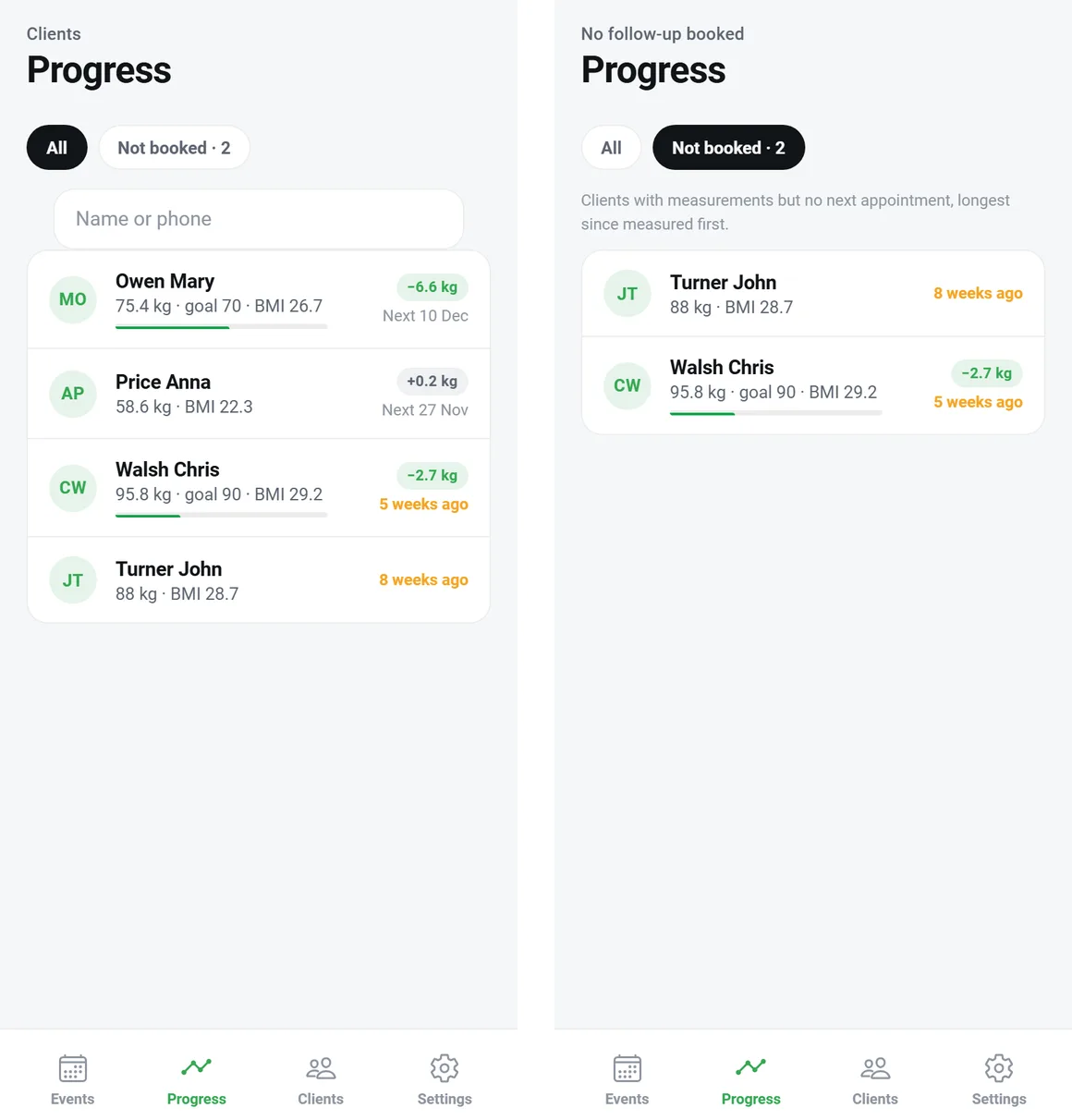
The Progress tab lists the clients who have measurements. For each one you see:
- how many kilos they have changed since the first measurement,
- the latest weight, the goal and the body mass index (BMI),
- a bar showing how far they are towards the goal,
- the date of their next appointment or, if none is booked, how long ago they were measured.
The Not booked filter shows clients with measurements but no next appointment, longest since measured first. In the search box you can type a name or a phone number.
Tap a client to Open client, add a New measurement or Book a follow-up. If they have a mobile number, there are also Text to book and Call. The text opens in your phone's messages app, with a ready message reminding them of their follow-up and your booking link.
Progress on the client's page
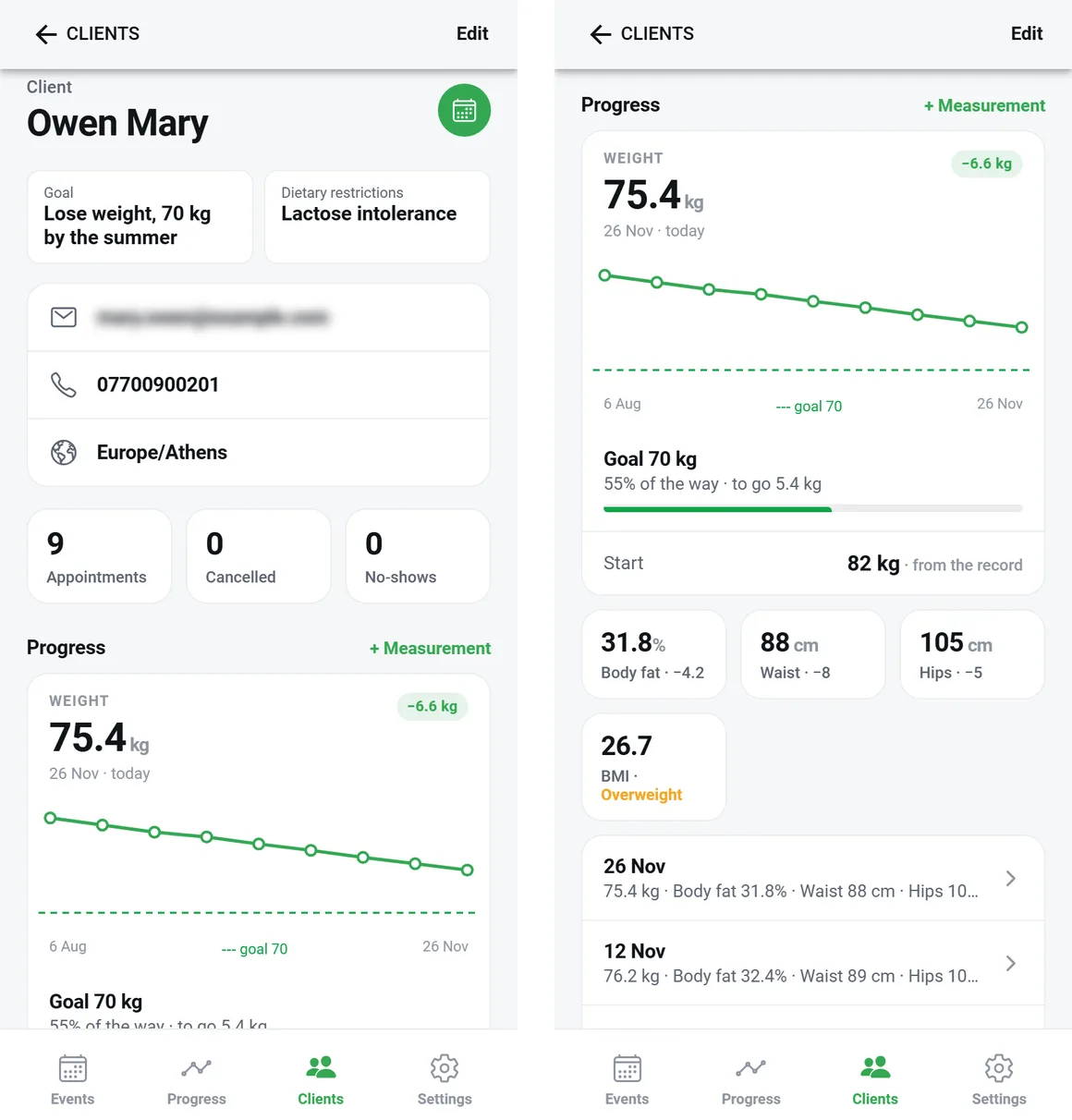
At the top of the client's page you see the Goal and the Dietary restrictions, when they are filled in on the client. If a field for allergies or intolerances has an answer, it shows in red above everything else.
The Progress section shows:
- the latest weight and how much it has changed since the start,
- the weight line, with the goal as a dashed line,
- the goal, the share of the way covered and the kilos to go,
- Start: the first measurement, or the client's Starting weight (kg) field,
- body fat, waist and hips, with their change,
- the BMI, when the client has a Height (cm),
- every measurement, latest first.
Tap the goal row to set or change the goal weight. Tap a measurement to correct or delete it.
New measurement
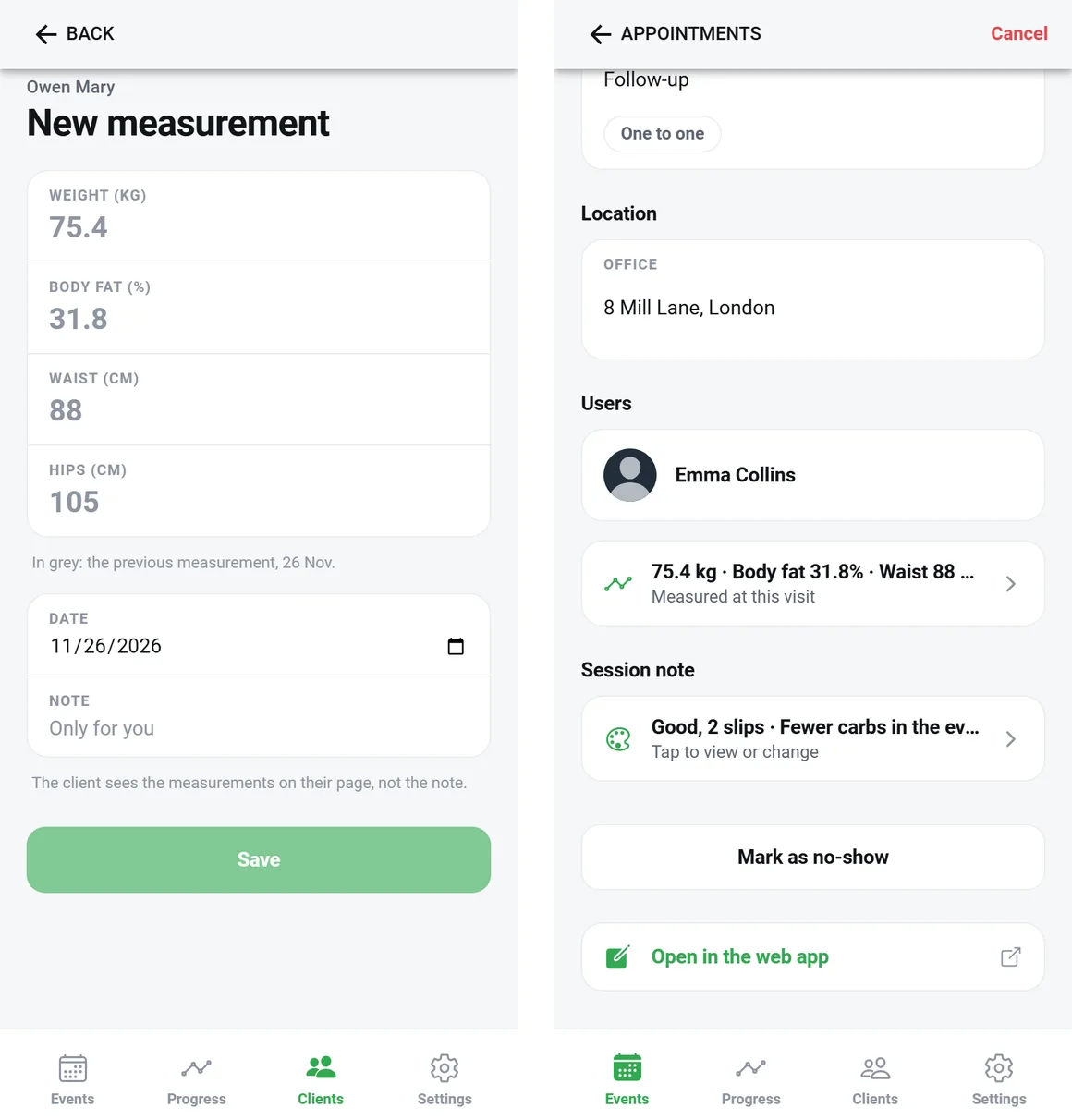
- Open the appointment and tap Add measurement. The measurement is linked to that visit. You can also tap + Measurement on the client's page, or New measurement on the Progress tab.
- Fill in Weight, Body fat, Waist and Hips. The previous measurement shows in grey.
- Change the Date if needed, and add a Note if you like.
- Tap Save.
On the appointment, the measurement shows as Measured at this visit. Measurements are recorded by users who may manage appointments.
Session note
For each visit you keep a note with Adherence, Changes to the plan, Focus until next time and free Notes. Write it from the appointment, under Session note, or with New on the client's page. Each note starts empty.
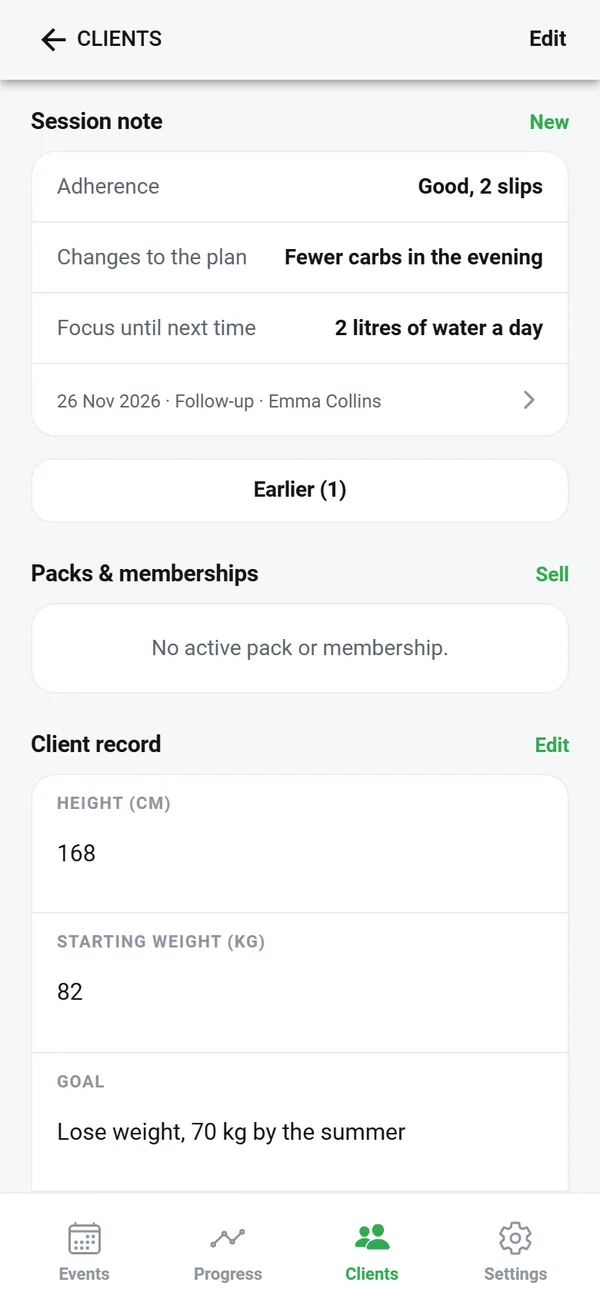
- The client never sees these notes.
- They are read by the users who see clients, the owner and admins. Other users only see how many there are.
- A note can be changed by the person who wrote it, or by anyone who manages clients.
What the client sees
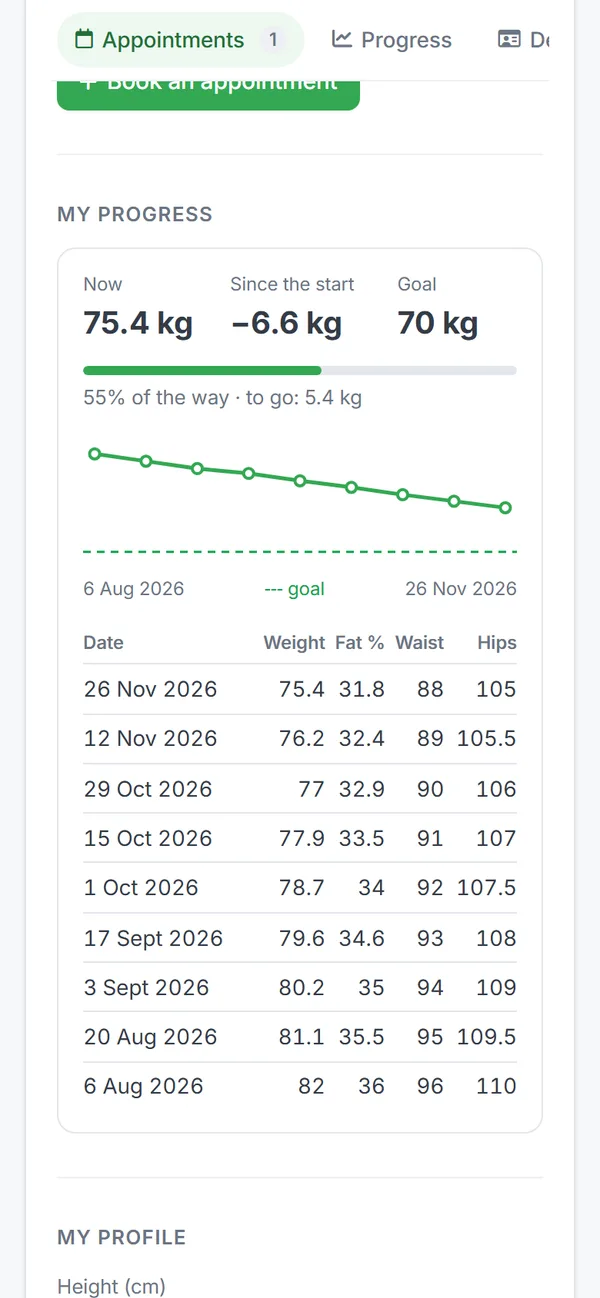
On their own page the client sees My progress: their current weight, the change since the start, the goal, the weight line and all their measurements. They do not see the measurement note or the session notes. The page is part of the plans with the client page. See The client page.
If an event type asks for terms or consents, the app shows you who has not signed yet and lets you send them the link. See the section on signatures in Physiotherapist, which works the same way.