Screens by business type
How the mobile app changes with your type of business.
The mobile app adapts to your type of business. A barber shop opens on its walk-in queue, a doctor's practice on its waiting room, a vet on the pets. The tabs at the bottom, the client card and what the app calls the people you serve all follow from the type. The basics stay the same for everyone: appointments, clients and settings, as described in the mobile app guide.
Where the type is set
The business type is set once, when the organization is created. The services, questions and client fields you start with are created from it.
- Open Settings.
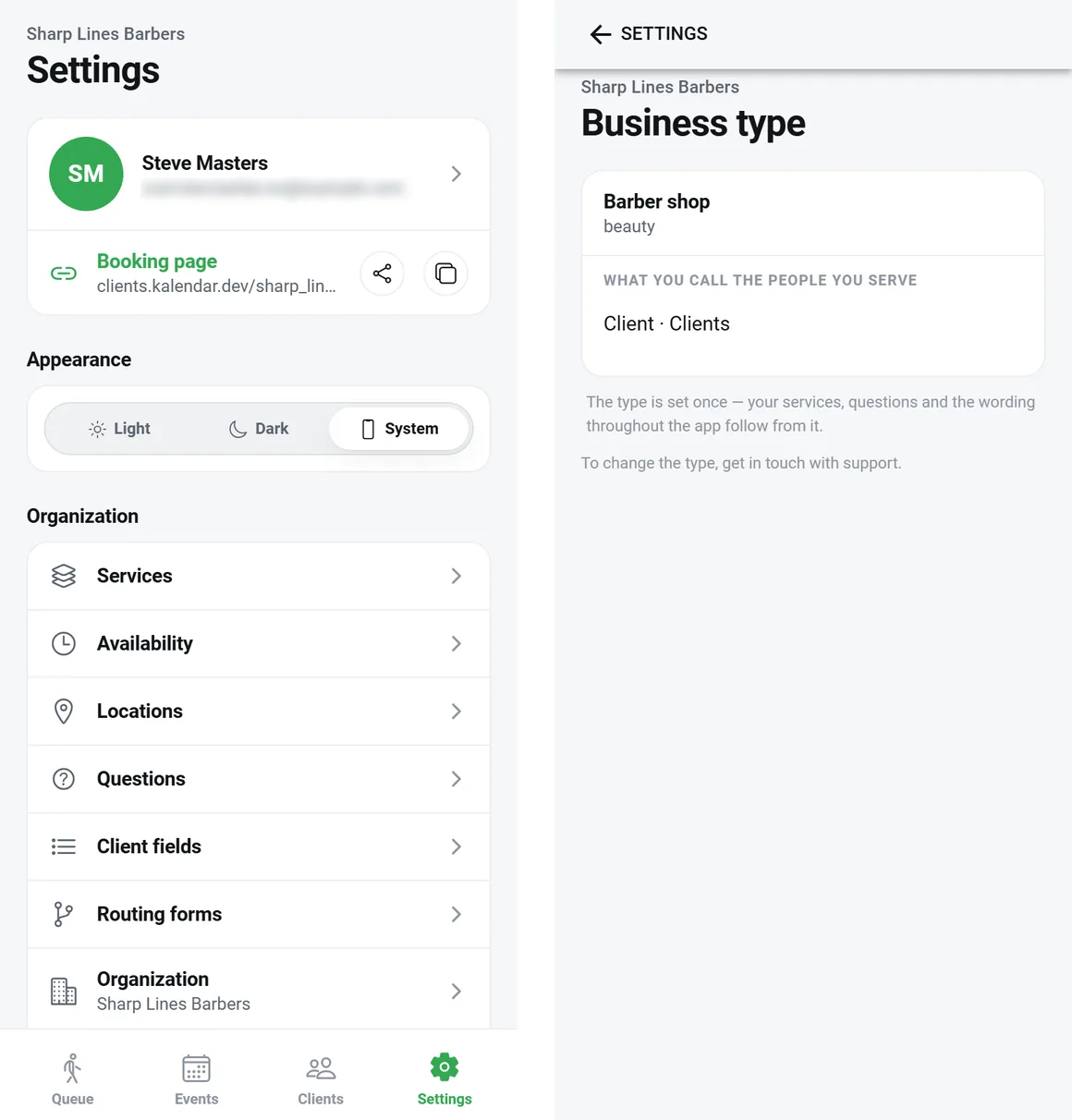
- Tap Business type. You see the type and what the app calls the people you serve, for example Patients at a doctor's practice or Prospects at a real estate agency.
- If no type has been chosen yet, the owner picks one from the list. If the type's defaults have not been applied, the Apply the defaults button appears. They are applied once, and anything you already have is left alone.
To change the type later, get in touch with support.
Tabs by business type
When a type has a screen of its own, the Types tab leaves the bar and your services move to Settings, under Services. Each user only sees the tabs their user type allows.
| Business type | Tabs |
|---|---|
| Hair salon | Chairs, Events, Clients, Settings |
| Barber shop | Queue, Events, Clients, Settings |
| Beauty salon | Events, Courses, Clients, Settings |
| Nail salon | Events, Designs, Clients, Settings |
| Tattoo studio | Events, Projects, Clients, Settings |
| Doctor | Waiting, Events, Patients, Settings |
| Dentist | Waiting, Events, Plans, Patients, Settings |
| Physiotherapist | Events, Courses, Patients, Settings |
| Psychologist | Week, Events, Clients, Settings |
| Nutritionist | Events, Progress, Clients, Settings |
| Veterinarian | Events, Pets, Owners, Settings |
| Personal trainer | Events, Packs, Clients, Settings |
| Yoga and pilates | Classes, Events, Clients, Settings |
| Law firm | Events, Cases, Clients, Settings |
| Accountant | Events, Paperwork, Clients, Settings |
| Real estate agency | Viewings, Properties, Prospects, Settings |
| Photographer | Events, Projects, Clients, Settings |
| Car service | Workshop, Events, Vehicles, Clients, Settings |
| Something else | Events, Types, Clients, Settings |
Something else has the standard tabs, as described in the guides to appointments, event types, clients and settings on your phone.