Veterinarian
The mobile app for a veterinary practice.
When your business type is Veterinarian, the patient is the pet and the client is its owner. The mobile app has the tabs Events, Pets, Owners and Settings. An owner can have several pets, and each appointment is for one of them.
Appointments and the client page work as for any business. See Appointments on your phone and Clients on your phone. For the other business types, see Screens by business type.
Pets and vaccines
The Pets tab has two views:
- All pets: every pet, with its species, breed, age, owner and next vaccine. In the search box you can type a name, an owner, a phone number or a microchip number.
- Vaccines due: the vaccines due in the next 30 days, together with the ones already overdue. The button shows how many are overdue.
Overdue means the dose should already have been given, and Booked means there is an appointment. Under the owner you see when the dose is due, when the owner was reminded, or when the appointment is. Tap a vaccine to:
- Open pet,
- Book an appointment, with the owner and the pet already picked,
- mark it Given today, which records the dose with today's date,
- Text the owner or Call, if the owner has a mobile number.
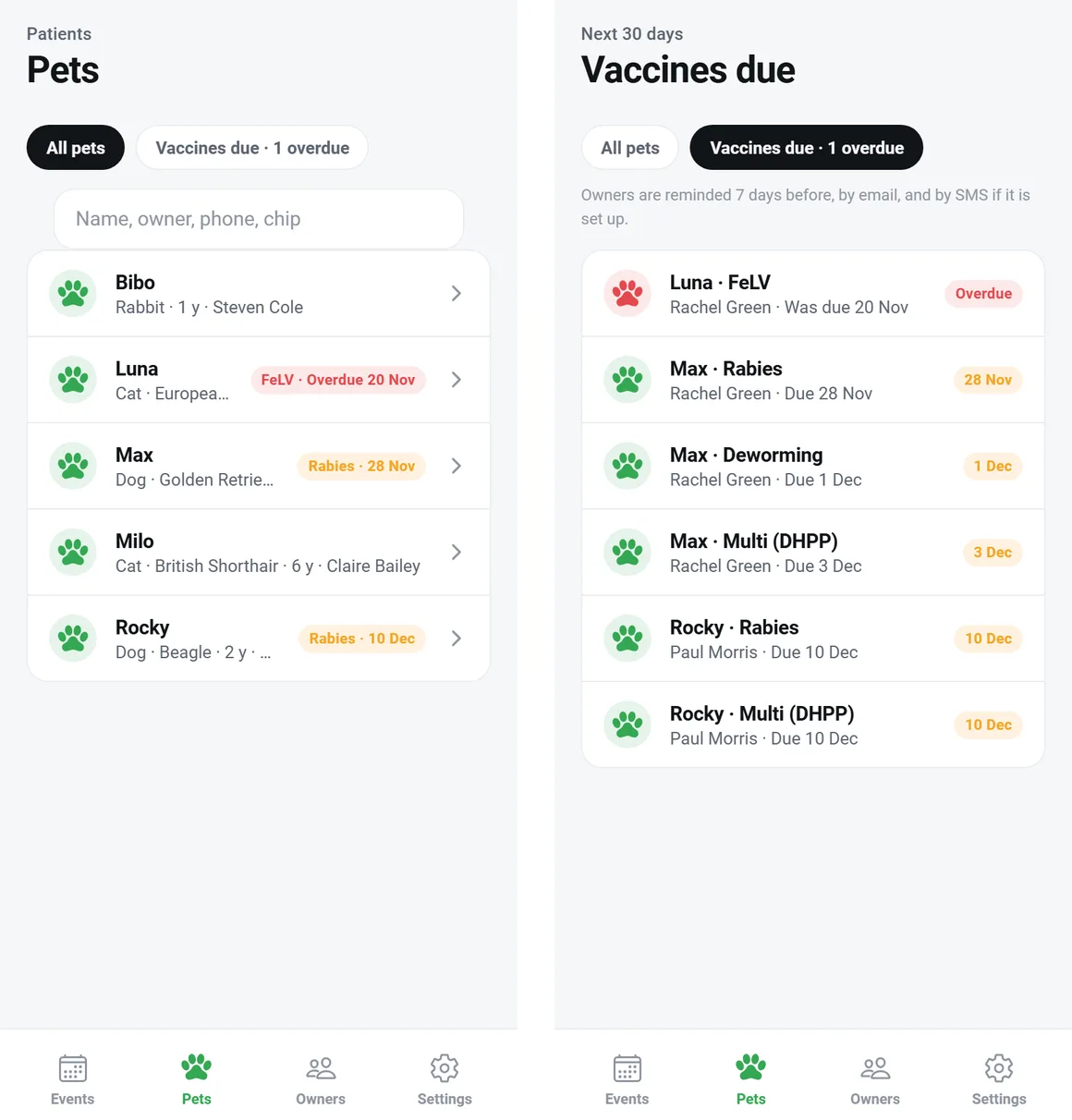
Vaccine reminders
Owners are reminded automatically 7 days before a vaccine is due:
- Reminders go out every day at 10:00, once for each dose.
- One email per owner, listing every pet and vaccine due, with a button to book and the link to their own page.
- A text message too, if you have SMS set up. See Send SMS to your clients.
- A vaccine that became overdue without a reminder is reminded at once, as long as it is no more than 30 days overdue. After that, it is better to call.
- No reminder is sent if the pet already has an appointment booked, or if it is no longer an active patient.
The pet's page
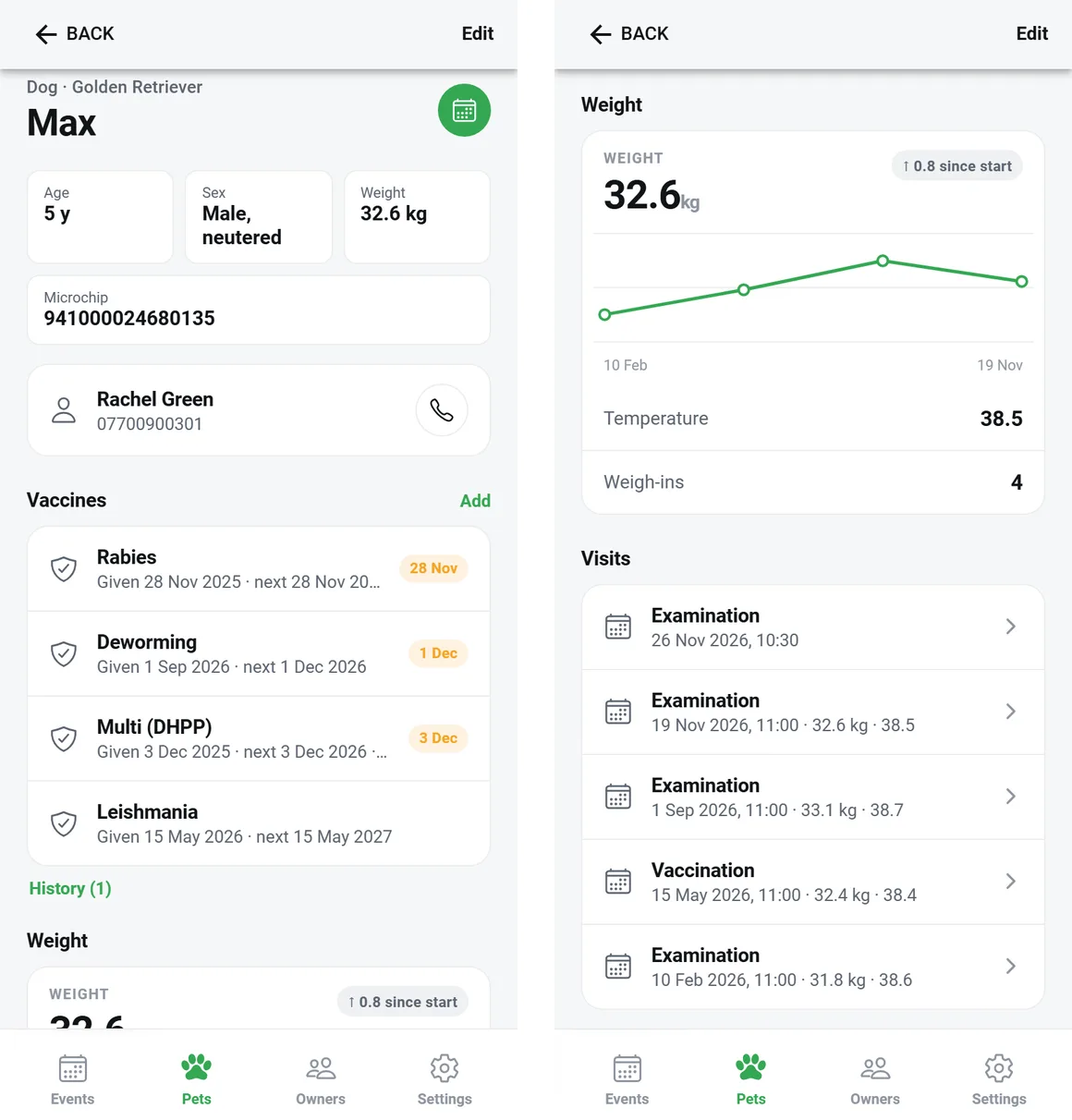
Tap a pet to see:
- its age, sex, latest weight and microchip number,
- the owner, with a button to call,
- the Vaccines, with the date each dose was given and the next one. Earlier doses are under History,
- the Weight from the visit notes, with its line, the temperature and the number of weigh-ins,
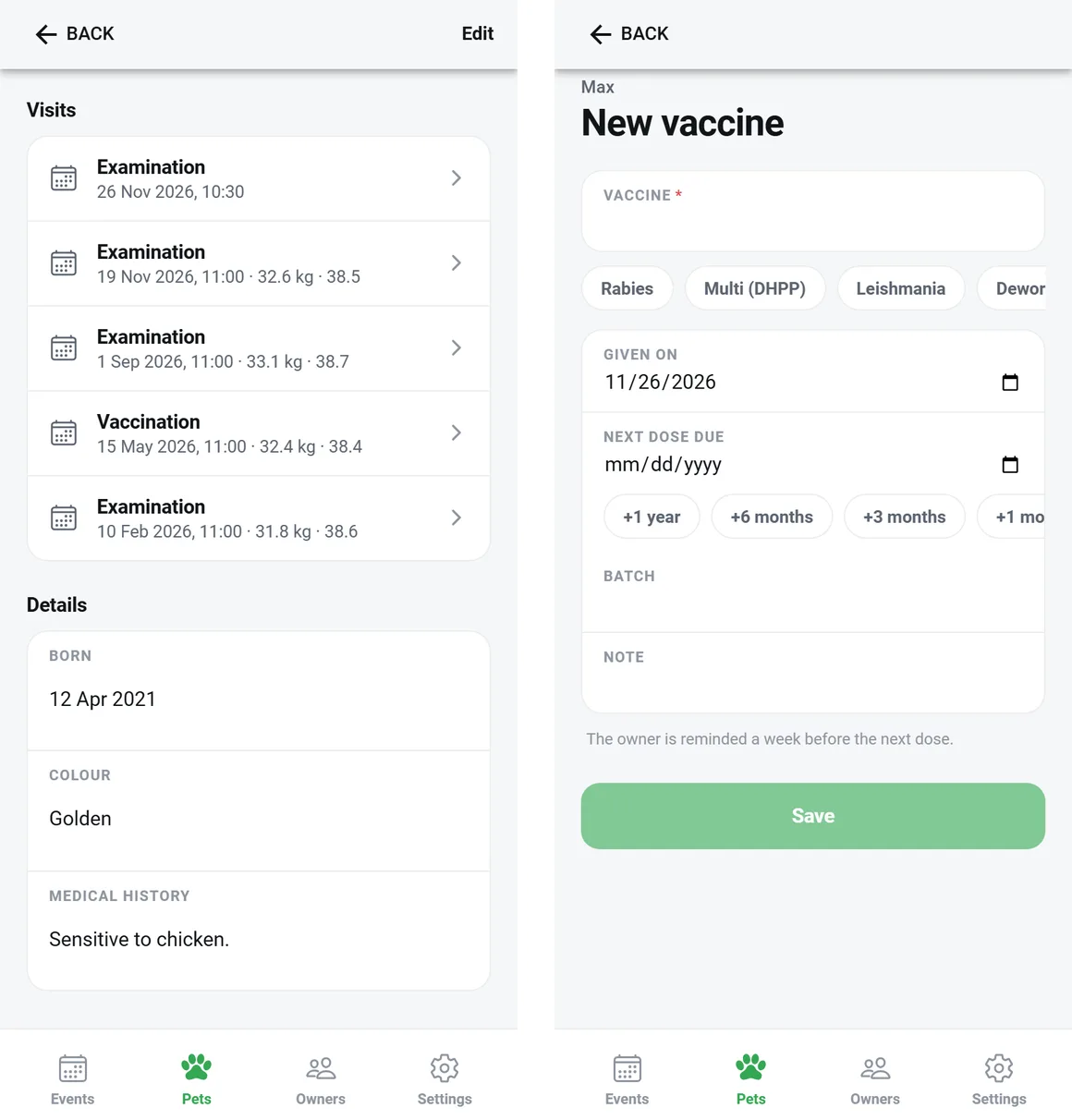
- the Visits, latest first, and the Details: date of birth, colour and medical history.
The calendar button at the top right books an appointment for this pet. Edit changes its details. If the pet no longer comes, turn off Active patient: it stays on file, but gets no more vaccine reminders.
New vaccine
- On the pet's page, tap Add next to Vaccines.
- Type the Vaccine or tap one of the usual ones: Rabies, Multi (DHPP), Leishmania, Deworming and others.
- Fill in Given on and Next dose due. The +1 year, +6 months and +3 months buttons set it with one tap.
- Add a Batch and a Note if you like, and tap Save.
A new dose takes the place of the previous dose of the same vaccine, which moves to the history. An old dose copied from the paper booklet, with an earlier date, goes straight into the history. Tap a vaccine for Given today, Edit, or Delete for one entered by mistake.
Vaccines are recorded by users who may manage appointments. Pets are added and changed by users who manage clients, such as the front desk.
The owner and their pets
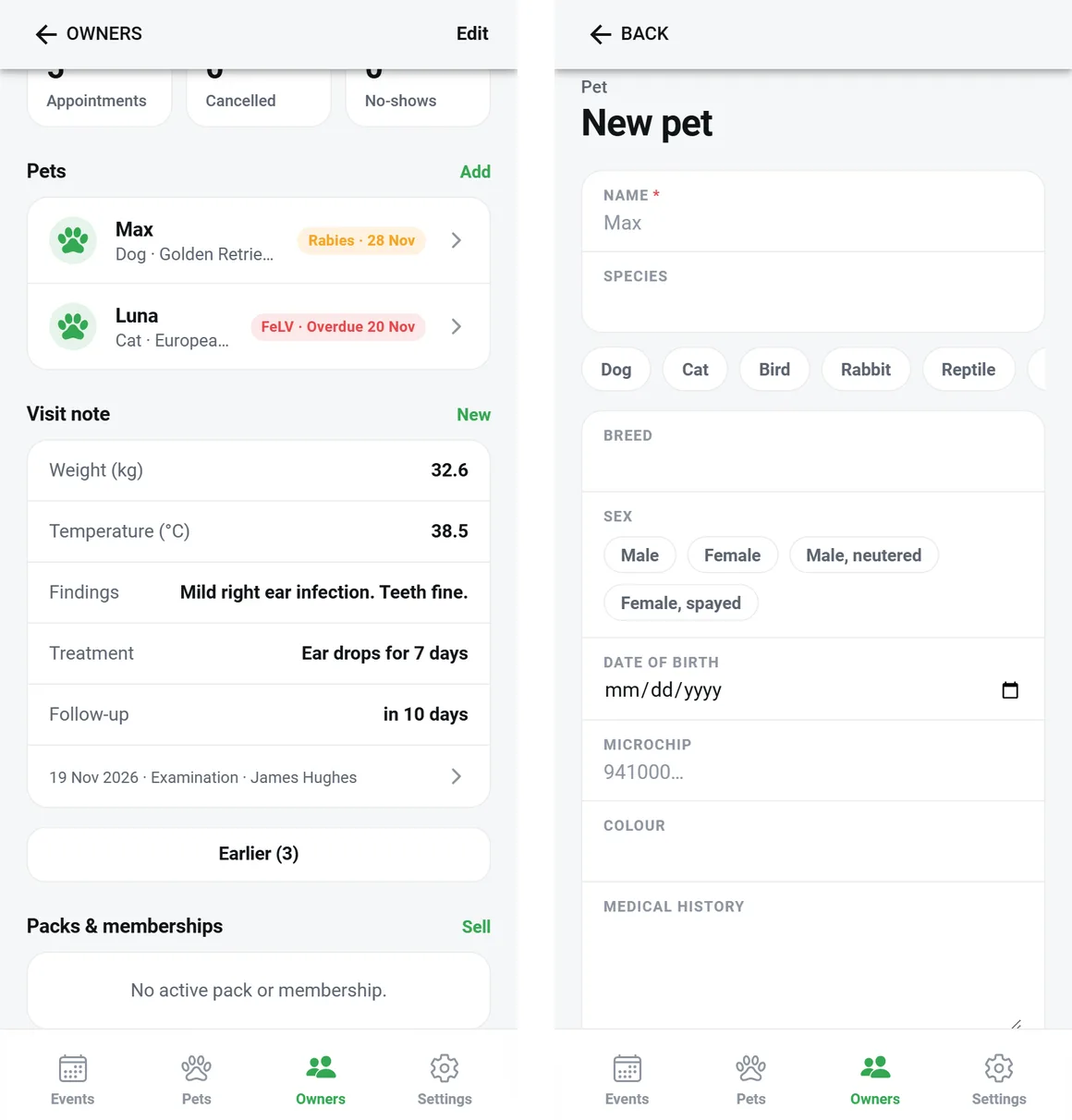
On the owner's page, Pets lists their pets with the next vaccine. Pets that no longer come are under Former. To add a pet:
- Tap Add.
- Type the Name and pick the Species and Sex.
- Fill in whatever else you know: breed, date of birth, microchip, colour, medical history.
- Tap Save.
When an owner books online, the booking page asks for the pet's name. The app finds it among their pets, or starts a new pet with that name.
Which pet the appointment is for
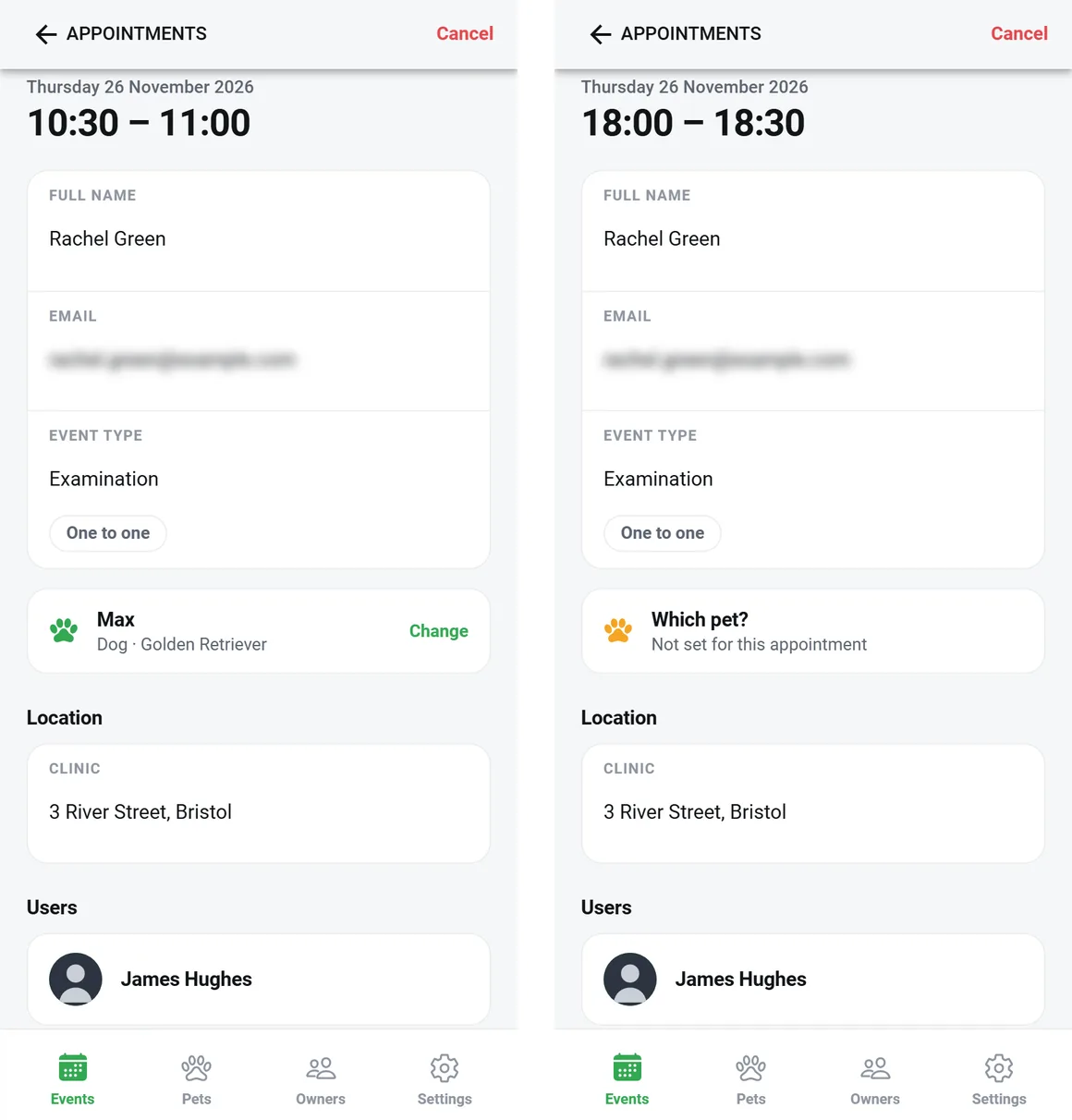
The appointment shows the pet. Tap it to open its page, or tap Change to pick another. If the owner has only one pet, it is set automatically. If they have more and it is not known which one, you see Which pet?. Tap it and pick the pet.
Visit note
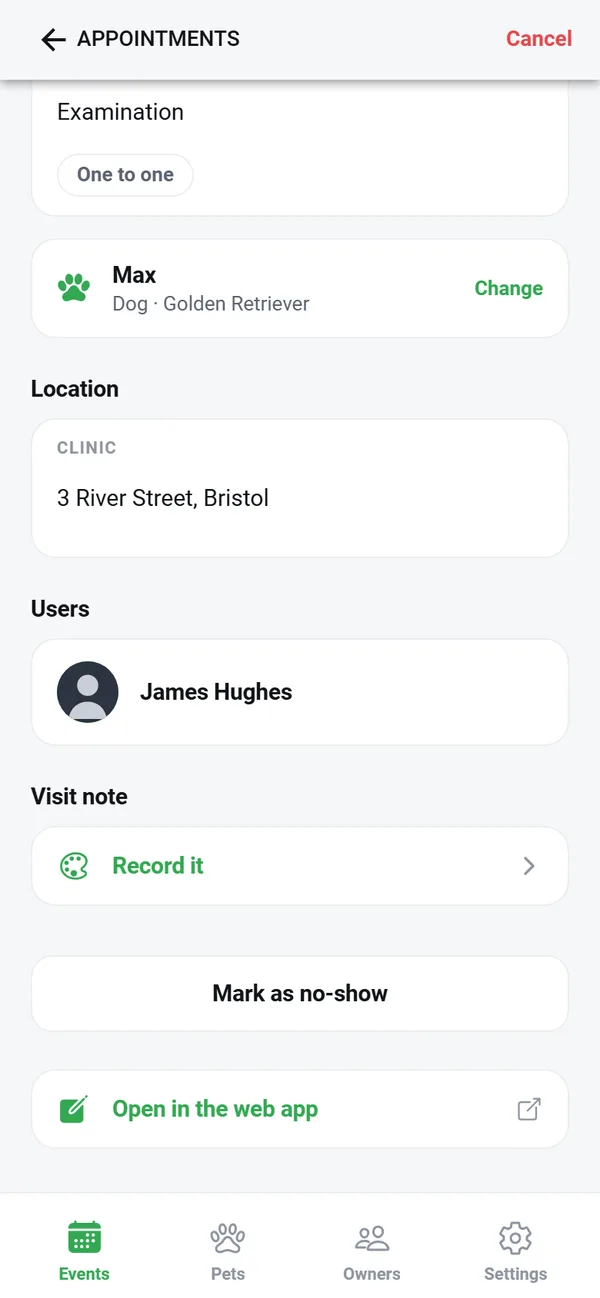
On the appointment, tap Record it under Visit note. Fill in Weight (kg), Temperature (°C), Findings, Treatment, Follow-up and, if you like, Notes, then tap Save. The weight in the notes draws the line on the pet's page.
- The owner never sees these notes.
- They are read by the users who run appointments, the business owner and admins. Other users only see how many there are, and do not see the weight line.
What the owner sees
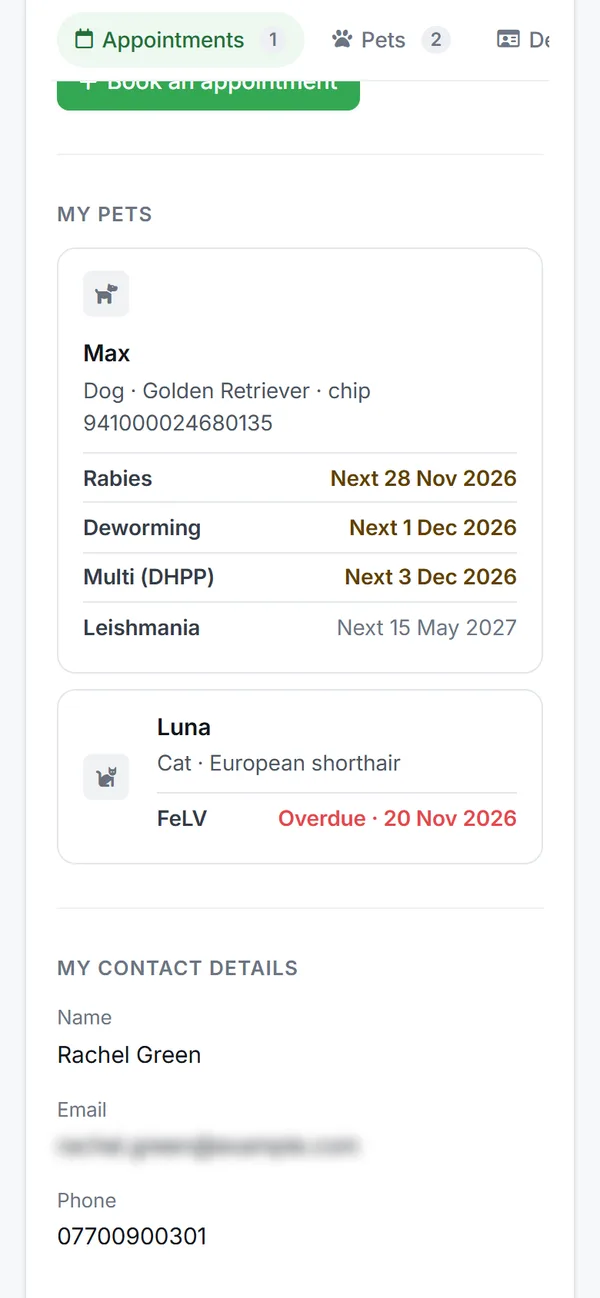
On their own page, the owner sees their pets, each with its vaccines and the date of the next dose. Overdue ones show in red. The page is part of the plans with the client page. See The client page.
If an event type asks for terms or consents, such as the owner's consent for veterinary procedures, the app shows you who has not signed yet and lets you send them the link. See the section on signatures in Physiotherapist, which works the same way.